Thursday, 10 April 2014
Tuesday, 8 April 2014
Evaluation Question 7 - Looking Back to Your Preliminary Task, What do You Feel That You Have Learnt in the Progression From it to the Full Product?
I have created a prezi for my evaluation question 7. I did this because it was most fitting for it because I could easily arrange and edit different slides to communicate my answer effectively. I found the timeline prezi template and used that because it made most sense and I liked the layout.

Monday, 7 April 2014
Evaluation Question 6 - What Have You Learnt About Technologies From the Process of Constructing the Product?
The iMac
I have placed this piece of equipment at the beginning because we used it for pretty much everything! It was the conduit to Google, Blogger, YouTube, Wikipedia, Final Cut Express, SoundTrack Pro, FreeSFX.com; so, yes, everything. It was used in every stage but the filming stage, but, even then, we used it to get our footage off the cameras onto Final Cut to ensure the footage was safe after each filming session.
I, personally, prefer Windows computers to Macs, but for media, they're better. For example, let's compare Final Cut to Windows Movie Maker. Okay, so Final Cut is more expensive, and you need SoundTrack Pro to make external sounds (not recorded on the video footage camera), whereas Windows Movie Maker comes with a two in one kind of thing. However, the things you can do in it are limited. You can tell when s YoyTube video is made on WMM (Windows Movie Maker) because they nearly always start with that boring transition on a boring blank background with boring text, and there isn't much definition within the videos. With Final Cut, you have access to much more intricate tools, like the roll tool. Also, editing footage (speed, brightness etc) is much better on Final Cut.
 |
| Apple iMac |
So, for the purposes of Media, I think the Macs are much better. However, there are often technical faults. The foreboding 'Wheel of Doom', or 'Wheel of Death' is an evil swirling rainbow in the screen that appears occasionally to kindly destroy everything you've done. This never happens on Windows, and happens on Macs. Also, I can prove it's not the program or that particualr machine: i took GCSE Music in years 10 and 11, and we used Macs (Logic Express) to create our compositions, and the Wheel of Doom appeared there, too, in a separate department in the school.
Technologies Used in the Research and Planning Stage
Blogger
 |
| The Title of my Blogger Page |
Using Google's Blogger is a very efficient way of carrying out Media because it is extremely easy and up-to-date. This means it can be changed at any time and be instantly updated to any viewers around the entire world, and changes can be made quickly and in a variety of Media themes.
Unlike the use of magazines to publish media, blogging is much better. One big reason is, silmply, you can embed videos in, which (unless it's Harry Potter) you can't really do in a magazine. Also, changes to magazines aren't widely distributed until a deadline, such as a monthly installment. This also makes blogging easier, as all the information can be instantly updated to the same thing, meaning you only need to click on another page as opposed to collecting hundreds of magazines and remembering what's where. Also, installments to blogs can be made daily, and don't need printing like magazines; so are better for the environment, which is great! Go green!
 |
| Google's Blogger Logo |
Google is a magnificent database. Using this piece of technology in media is an extremely helpful resource, and is much more effective than a bunch of books. All you really need is a phone in your pocket, and you have more information than a library full of books, and you know exactly where to look; Google ANYTHING and millions of results are produced in seconds. This is much fasted than searching libraries for books!
| Google Logo |
It is very similar to the blogging advantages. Instead of hauling around a pile of books, you can simply carry a device with internet access and you're done. Whatever you need, it's right there with you. This is a much more efficient way of collecting information. However, many internet sources are ureliable, and books are 99% correct. This makes the information you collect less concrete, but saves countless hours and money.
Wikipedia
Wikipedia is a funny one. Using this is like Google; unreliable but extremely efficient. The fact that it is unreliable isn't all bad, though, as there are ways of validating information. Look on, say, three different sites for information, and if the information is all the same, then it must be correct. Wikipedia is a very useful resource, but it shouldn't be followed blindly. Checking any information you come across in Wikipedia and other publically-altered information databases is vital to making sure you get the right information you need. Media sites are usually a better way to go.
 |
| The Wikipedia Logo |
Art of the Title
Art of the Title is a very reliable resource. Created by media teachers and officials, it guarantees that everything within it is true, unlike that of Wikipedia. This makes the website much more reliable, but only for what it contains. You are unlikely to find half as much information on Art of the Title as you are on Wikipedia. So, do you go for quality or quantity? I say both. Look at Art of the Title, Wikipedia and another site to triangulate research into one, making it a broad and reliable resource.
 |
| Art of the Title Logo |
Microsoft Word
Microsoft Word was used to create my film's storyboard. We created each picture by drawing them onto a whiteboard with a black pen. We then took photos and cropped the images and put them together on word.
Microsoft Word is a very handy tool - it allows us to create pieces of work easily and with little problem. Any typing errors or layout errors can be fixed easily, unlike if we did everything by hand. This is primarily why Microsoft Word is a superior method for storyboard creation; because mistakes can be fixed without having to rewrite everything, and the layout can be changed over and over again, until it's perfect.
Microsoft Word is a very handy tool - it allows us to create pieces of work easily and with little problem. Any typing errors or layout errors can be fixed easily, unlike if we did everything by hand. This is primarily why Microsoft Word is a superior method for storyboard creation; because mistakes can be fixed without having to rewrite everything, and the layout can be changed over and over again, until it's perfect.
 |
| Microsoft Word for the Mac logo |
Technologies Used in the Filming Stage
External Sound Recording Kit
I used an external sound recording kit to record the sounds for my film. I did this because the sounds recorded straight off the camera were quieter and less clear. The sound recording kit is a small and simple tool, and requires little operational use; just point and click!
An advantage of using the sound recording kit kit is that the sounds can appear much more clear, and louder; which allows for more volume editing, making better quality soundtracks.
The sound recording kits of today allow films to create big, powerful soundtracks and effects, which was impossible during the early years of film making, when there was usually just one piece of sound over the film; a basic music track. A great example would be Charlie Chaplin's 1917 film 'Easy Street'.
An advantage of using the sound recording kit kit is that the sounds can appear much more clear, and louder; which allows for more volume editing, making better quality soundtracks.
 |
| External Sound Recording Kit |
The sound recording kits of today allow films to create big, powerful soundtracks and effects, which was impossible during the early years of film making, when there was usually just one piece of sound over the film; a basic music track. A great example would be Charlie Chaplin's 1917 film 'Easy Street'.
Sony HD Camera
I used a Sony HD camera to film my footage. I believe the digital cameras of the modern day (like the Sony camera I used) are a hundred times better than the old film cameras used in films in the past for a few reasons. I will talk about them now.
Mobility. I think the sheer size and mass of old cameras made it impossible to film interesting hand-held shots, and made panning and tilting hard. Cameras nowadays allow us to record any shot we want however we want, whether it be on a tripod, crane, steady cam or just handheld. Personally, I prefer handheld shots. This is because it gives a more '3D' look to a film, and - in my eyes - brings it alive. A film entirely filmed on a tripod is boring. Let's face it, people want to see interesting shots that add mobility to a film. If you've noticed, many of the films released today are recorded handheld, or at least slightly 'wobbly'. I have embedded a trailer for 'The Hobbit: An Unexpected Journey' to show this. It is a new film (2012) and attracts a huge audience, being amongst the highest grossing films ever produced. Watch closely, and the majority of the shots used are not completely still, even if it's only a minute movement.
 |
| Similar to the cameras we used |
LED Camera-Mounted Light
The LED camera light was a great addition. It proves most useful on the lowest setting at a mid distance, else shadows and glare may appear. Also, the blue tint of the light is amplified on higher settings, which makes the scene look cold. This can be a good effect, but, if unwanted, can be fixed in post-production or editing stages.
I think it is a very effective design because it always follows the camera's frame, unlike crew held lights. This is useful because it means it doesn't require much extra room or manpower, and is easily fitted to the camera, usually to the top above the lens. It makes filming in artificial light much easier than previous ideas, and is a simple and effective addition to any camera crew's array of equipment!
 |
| LED Camera Light |
Tripod
The tripod is the most effective way to carry our pans, tilts and still shots. You can professionally create still shots and tracking shots using them with no bumps in the filming. The camera will remain mostly steady, and it exceptionally useful for things like match-on-actions, as little camera movement is required in these shots, as they create their own movement.
The modern tripods are more effective than one-piece tripods as they can fol in and retract legs and be transported easily in a small bag. This makes them a small burden, and don't need much (if any) maintenance. They had adjustable legs which help create the shot height you want, and the legs retract separately, so you can even have them at different heights to create interesting shots. Furthermore, the tripod has a lever, which can be 'locked' and 'unlocked', allowing shots to allow and disallow pans and tilts. This is extremely useful, as still shots are easily created, and pans can be direct without the problem of a possible tilt. Also, the tripod is fitted with a spirit-level to ensure the camera is positioned flat, which makes the frame composition correct, even if one leg is slightly higher than the rest.
 |
| Camera Tripod |
Tracking Dolly
The tracking dolly is the perfect way to create a moving camera shot, usually following or approaching a character. In my film, I only had one tracking shot in there. Below, I have embedded my final film. The tracking shot takes place between 0:48 - 0:54, where Connor goes over to the box and picks it up. Note here the camera is on the tripod and mounted on the tracking dolly, but the shot pans to the right to follow him and also tilts very slightly. This was to make the still shot more 'alive', and make sure the protagonist stayed in the frame. It is, in my opinion, a very effective shot. The only problem is the tracks. They have a limited length, so shots can only follow so far before coming to the end and falling off the track. |
| Tracking Dolly, Track and Tripod |
Reflectors
The reflectors are an interesting piece of equipment, and using them is almost as tedious as putting them away! You have to angle the light at a particular person or object, and keep it there, else it's obvious you've used a reflector. Now, the true problems arise when you have a moving character. We used reflectors during the part (1:39) where Connor is about to turn the light back on. We didn't need them elsewhere, as this was the only shot with lighting issues.
However, there is one problem. The reflectors only work if they have light to reflect in the first place, and so in that dark shot (1:39) we struggled to get any effect from them. This made it particularly hard to sort the lighting problems, so most of the 'repairing' was done during the editing stage on Final Cut Express, a program I will explain in further detail below.
However, there is one problem. The reflectors only work if they have light to reflect in the first place, and so in that dark shot (1:39) we struggled to get any effect from them. This made it particularly hard to sort the lighting problems, so most of the 'repairing' was done during the editing stage on Final Cut Express, a program I will explain in further detail below.
 |
| A Reflector |
Technologies Used in the Editing Stage
Final Cut Express
We used Final Cut Express on the MacBooks to cut and edit our film. This is a much better method than the old physical cutting and editing that was used by filmmakers of the early 1900's, when films were first created. Back then, footage was recorded directly onto film, and the film was then physically cut and stuck together by editors, usually women. It was a very hard and time-consuming method, and so using digital editing programs like Final Cut Express is more efficient. You can do much more creative editing in Final Cut than with physical editing methods. For example; slowing and speeding up shots and altering brightness levels. Also, colour edits can be made here.Final Cut Express is a non-linear editing method, because you can go straight in to half way in the film to edit, whereas linear methods need to go from the very start every time.
 |
| Final Cut Express Logo |
SoundTrack Pro is an extremely easy and effective way to create and edit soundtracks for films. You can easily import a video into the video section, then add, move, edit and change a whole range of different sound effects and soundtracks.
In comparison to older ways of sound editing, this is superior because you can add as many different tracks as you want, and the volume levels can be altered within each track separately as well as the master volume mixer. This allows for a pitch-perfect combination of sounds at perfect volume levels. Also, tools like 'mute' are very useful, as you can see what the soundtrack is like without certain bits without deleting them.
 |
| SoundTrack Pro Logo |
FreeSFX Webite
I collected my sounds for my film in two different ways; from SoundTrack Pro and FreeSFX.com. FreeSFX is a huge database with hundreds of sound effects and music tracks on, and you can find things through a search bar or a 'cancelling down' method, like Sound Effects/War/Guns to find a particular effect.
The soundtrack was created by just looking through sounds and tracks on FreeSFX.com and SoundTrack Pro
The soundtrack was created by just looking through sounds and tracks on FreeSFX.com and SoundTrack Pro
Technologies Used in the Post-Production Stage
Final Cut Express
Final Cut Express was used in the post-production stage as well as the editing stage. This is because all touch-ups to the film were made on here, and that was because that's where the film was originally put together, and it's a quick and easy way of going about it.
I think it's an incredibly quick and useful way of making final adjustments to the film, a method that wasn't in existence until the late 20th century.
I think it's an incredibly quick and useful way of making final adjustments to the film, a method that wasn't in existence until the late 20th century.
After Effects
After Effects is a piece of software used to create our studio ident. It is a simple and easy thing to do, as mostly it just involves getting a template and filling in a few words; viola! You can make more intricate ones, but because we LOVED the template we found, we used a template.
 |
| After Effects logo |
Technologies Used in the Exhibition/Sharing Stages
Blogger
Blogger was also used in the exhibition and sharing stage of production. This was because all the information relating to it was posted on there previously, and the final film (as well as rough cuts and the animatic) are posted too. This makes it a distribution tool. It is an effective way of sharing the product because it makes it extremely easy to embed media and then talk about it. Also, you can embed a mix of media areas (such as pod-casts, videos and pictures) to further explain what's going on.
 |
| A screenshot of this post showing an example of using multiple media types |
YouTube
YouTube is an extremely useful tool for sharing and distributing the film. After the film was exported from Final Cut Express, you can upload the video online to YouTube. After this, it will be free to watch! But that's not all. Without YouTube, getting the video onto Blogger would be very hard, if not almost impossible. They work together; YouTube hosting the video and Blogger 'borrowing' it, almost opening a back door from the blog straight to the video on YouTube.
This is a brilliant way of distribution, as in the past, the cinema was the only place to watch films, which was inefficient. This was because not everybody had the time and/or money to go to the cinema, and there was obviously a limited amount of seats. Nowadays, with YouTube, a video can be put online in minutes, and anybody in the world (as long as copyright laws haven't been breached) is able to watch the same thing at the same time, as long as they have internet access.
This is a brilliant way of distribution, as in the past, the cinema was the only place to watch films, which was inefficient. This was because not everybody had the time and/or money to go to the cinema, and there was obviously a limited amount of seats. Nowadays, with YouTube, a video can be put online in minutes, and anybody in the world (as long as copyright laws haven't been breached) is able to watch the same thing at the same time, as long as they have internet access.
 |
| YouTube company logo |
Scribd
Scribd is a very useful internet resource. With it, you can create a text document and embed it into a blog, and it acts as a seperate window with its own scroll bar. This means it takes up a small amount of blog page space, and makes the blog more interactive, and therefore more interesting.
It's a good replacement to large lumps of text which were used all the way up to the present day. Blogging has never being as interesting! The addition of Scribd means a word document may be converted and uploaded to Scribd, then embedded into a blog. This allows documents you may want to show to be uploaded. It may be useful for showing an example of a tearms and conditions sheet, as they're usually thousands of useless words, which would take up a hell of a lot of blogging space, and large lumps of text are daunting to most blog followers.
 |
| Scibd logo |
Technologies Used to Communicate With Each Other
Texting via Mobile Phones
To communicate between the production team, texting was the most used piece of equipment. This is because it is much quicker than other forms or communication, and mobile phones are nearly always to hand nowadays.
In the times before mobile phones (or for this case, telephones, too) people would have to meet up or send letters to each other. This would be a problem, as you wouldn't know when to meet! Okay, making a schedule like 'every Monday, Wednesday and Thursday night at 6:30pm' is a good idea, but what if one of the team members breaks his leg at six o' clock on a Wednesday night? The other members of the group wouldn't know, and therefore rearranging times is impossible. Also, letters need delivering, which can take days, whereas texts are instant!
 |
| Samsung Galaxy S2 |
Meeting up in person
Meeting up in person is vital. With the help of emailing and instant messaging over mobile phones, they can be made more precisely. For example, me and my production team (Deanna and Daniel) got together on a Sunday to create our video narrative for Evaluation Question 5. We wouldn't have been able to do this if we weren't together because we had to work together to record our voice-overs and create our 'scripts' that we read from. We did this because we are a production team and we are evaluating the same film; so why not work together for one!? Team work is 'the moral of the story' for media.

Try this; it took my production team of three people three and a half weeks to film and edit our film opening, that was just two minutes long. The TV show 'Murdoch Mysteries' set in Toronto, Canada between the very late 1800s and early 1900s, film an hour long episode in just over a month. How? Team work. A full production company of people.
 |
| 'Murdoch Mysteries' |
School Email
The school emailing system is a very useful tool. It is a lot like the mobile phone's instant messaging system, being able to instantly send information to anybody in the world. It makes it so much easier than past methods, which I have spoke about in the above section.
Also, emailing has one great advantage; attachments. You can attach videos, video links, pictures, website links and so forth to emails and therefore send any kind of information to anybody at any given moment, which makes it more useful and more professional than texting. However, you aren't guarenteed to get the email straight away like a text, and some people have bad habits of not checking their emails regularly! This makes the whole 'whenever wherever' ideal useless.
Also, emailing has one great advantage; attachments. You can attach videos, video links, pictures, website links and so forth to emails and therefore send any kind of information to anybody at any given moment, which makes it more useful and more professional than texting. However, you aren't guarenteed to get the email straight away like a text, and some people have bad habits of not checking their emails regularly! This makes the whole 'whenever wherever' ideal useless.
 |
| The log-in page for the school email |
Technologies Used to Present your work, Including Blogging and Web-Based Products
Blogger
Blogger is the best form of presentation for work. This holds everything; embedded media from YouTube, Prezi, Scribd and more, it is the hub of your presentation. It holds all the information into separate places on the same blog, and is a very neat and orderly way of presenting and communicating information.
YouTube
YouTube is a very effective method to use to present work. Composing videos on Windows Movie Maker or Final Cut and then uploading them to YouTube is great, and you can then also embed things from YouTube to Blogger! For example, my Evaluation Question 5 narrative video is on YouTube, and is embedded to the Evaluation Question 5 post. It is quick, easy and neat - perfect!
Prezi
Prezi is Microsoft Power Point only 500 times better. You can create animated presentations that jump and weave in and around each other, and I am a fan of the site. I've used it to create three of my Evaluation questions, as it is just a really interesting and user-interactive piece of software!
 |
| Prezi logo |
Sunday, 6 April 2014
Evaluation Question 5 - How Did You Attract/Address Your Audience?
Myself and my production team got together and we put together a short narrated video on how our film attracts and addresses our target audience.We have picked out parts of the film and spoke over them, and we've included a collection of additions to make it entertaining as well as informative.
One problem that made it hard to get our film known was the lack of famous Hollywood stars such as Tom Cruise and Hugh Jackman. Having stars like these would greatly improve the fame of our film; as, for example, a film starring Hugh Jackman would be instantly watched by millions of Hugh Jackman fans around the world, even if the film itself looks terrible. So, this meant that our film would not be instantly recognised.
Another problem was the struggle we had to find a distributor for the film. This is the same basic ideal as the actor problem; we won't be made famous and the film won't get watched much. Also - this applies to both actors and distributors - if a certain actor/distributor takes part in our film, then the films' genres they produce won't be there to help. For example, Universal distributes a wide variety of films, but many, many thrillers. So, if our film was distributed by Universal, it is more likely to be a success, not only because of the monumental amount of fame involved, but the way that they distribute many thrillers, too.
Evaluation Question 5 Narrated Video
One problem that made it hard to get our film known was the lack of famous Hollywood stars such as Tom Cruise and Hugh Jackman. Having stars like these would greatly improve the fame of our film; as, for example, a film starring Hugh Jackman would be instantly watched by millions of Hugh Jackman fans around the world, even if the film itself looks terrible. So, this meant that our film would not be instantly recognised.
Another problem was the struggle we had to find a distributor for the film. This is the same basic ideal as the actor problem; we won't be made famous and the film won't get watched much. Also - this applies to both actors and distributors - if a certain actor/distributor takes part in our film, then the films' genres they produce won't be there to help. For example, Universal distributes a wide variety of films, but many, many thrillers. So, if our film was distributed by Universal, it is more likely to be a success, not only because of the monumental amount of fame involved, but the way that they distribute many thrillers, too.
Saturday, 5 April 2014
Evaluation Question 4 - Who Would be the Audience for Your Media Product?
The BBFC classification for Shadowed is 15. We thought this to be the right classification because it fits out film's conventions best. We researched the BBFC classifications (U, PG, 12, 12A, 15, 18 and R18) and found the best one suited to the film. Click here to go to the BBFC website we used.
Our Target Audience Profile (TAP)
 |
| Neil Evans, 16 years old |
Occupancy
He studies AS-level Media, Physics, English and Music at Great Wyrley High School's Sixth Form in year 12. He also has a part-time job in HMV as a Shop Assistant. We thought our choice of subjects he studies to be fitting to our film because the protagonist in our film is a scientist, and he enjoys watching films and collecting DVDs, which relates to him studying AS Media.

He studies AS-level Media, Physics, English and Music at Great Wyrley High School's Sixth Form in year 12. He also has a part-time job in HMV as a Shop Assistant. We thought our choice of subjects he studies to be fitting to our film because the protagonist in our film is a scientist, and he enjoys watching films and collecting DVDs, which relates to him studying AS Media.
Interests and Hobbies
He enjoys intense sports like Rugby and reads books like 'Murdoch Mysteries', 'Goosebumps' or 'Percy Jackson'. In spare time, primarily on weekends, Neil goes out with his mates and/or his brother to watch the latest film of almost any kind, although his favourite genre types are Horror, Action, Thriller, Mystery/Crime and Sci-Fi.
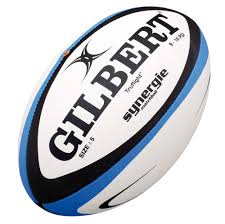
He enjoys intense sports like Rugby and reads books like 'Murdoch Mysteries', 'Goosebumps' or 'Percy Jackson'. In spare time, primarily on weekends, Neil goes out with his mates and/or his brother to watch the latest film of almost any kind, although his favourite genre types are Horror, Action, Thriller, Mystery/Crime and Sci-Fi.
Media Products he Likes
Neil likes anything from and around the Horror, Action, Thriller, Mystery/Crime and Sci-Fi genres. Some of the films he likes to watch are Van Helsing, Taken and Psycho.


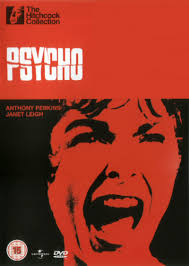

Neil likes anything from and around the Horror, Action, Thriller, Mystery/Crime and Sci-Fi genres. Some of the films he likes to watch are Van Helsing, Taken and Psycho.
Pearl and Dean Research
Click on the Image to go to the Pearl and Dean Website
I used the Pearl and Dean website to find a film that was similar to my own; 'Shadowed'. I picked this one because it shares some of the qualities my film has. Such as the certificate (15), the gender target audience (75% male) and the age target (44% within our age range).
Audience Theories
There are some theories as to why people watch the media, and I will discuss these. The Gratification Model means that somebody may watch media to get some kind of fulfilment out, like violent films to contain violence, as apposed to actually trying to entertain themselves. The Hypodermic Model means that someone will watch media to entertain themselves rather than to get an actual need fulfilment from it. For example, people may not need to laugh, but a comedy is extremely entertaining and therefore follows the Hypodermic Model.
My media film will follow the Hypodermic Model because it is a thriller, which are mainly entertaining. People don't need to scare themselves or make themselves jump, but a film that pulls you in and keeps you on edge (like thrillers) so it is not following the Gratification Model. My film includes thrilling jump-scares and scary touches that make it gripping, and it follows many thriller conventions as well as these. This means it follows the Hypodermic Model, which is what our target audience will be.
Friday, 4 April 2014
Thursday, 3 April 2014
Evaluation Question 2 - How Does Your Media Product Represent Particular Social Groups?
For Evaluation Question 2, I have decided to create a Prezi. I have discussed the social groups' representation within it and I have used real media products as examples to relate to my film.
Wednesday, 2 April 2014
Evaluation Question 1 - In What Ways Does Your Media Product Use, Develop or Challenge Forms and Conventions of Real Media Products?
 |
| From top left - bottom right 1 - 9 |
- This represents the production company
- This image represents the opening
- This represents the setting and location
- This shot introduces the characters
- This shows the costumes we've used
- This shot suggests the genre of the film
- This shows the props and camerawork we've used
- This shows the camerawork and special effects
- This shows the title used in the film
 |
| Keyframe of Terminator 2 |
1. This represents the production company
In the Terminator keyframe, you can see that the director's name is there. This is because the director for Terminator 2 (James Cameron) is very famous, probably more famous than the distributor or production company themselves, so his name is put big and clear at the beginning.
In our film, we put the production company at the beginning because none of us are famous in the media, and so we'd be recognised for the ident and company, not for our names.
The company or name being at the beginning, followed by an opening sequence and then the film name is conventional of thriller films.
2. This image represents the opening
The first shot you see in my film is of the protagonist's feet, running. This sets the scene of the opening by suggesting there's a chase o going on, which is conventional of thrillers; you see something before you find out what it is.
In the Terminator, the first shot is of a dead person's skeletal body, focusing on the skull. This sets the scene for the Terminator film by showing a dead person in a car, which shows a kind of 'apocalypse' feel, which is what the film is about. This is conventional of thrillers, and the fact that the person's dead is another convention of thrillers, as it says instantly something bad is happening!
3. This represents the setting and location
The establishing shot in Terminator 2 shows a dark scene ravaged by war, with bits of rubble, debris and wire everywhere. This panning shot is effective because it helps further set the scene and establishes the film.
We have challenged this convention of thriller films by not including a 'proper' establishing shot. My example on the keyframe is a paused section of a point of view shot from Connor's eyes. We challenged the convention because the shot I've used as my establishing shot is actually only a few seconds long, and establishing shots are meant to be slow and long, giving time for the audience to think about the setting.
We have challenged this convention of thriller films by not including a 'proper' establishing shot. My example on the keyframe is a paused section of a point of view shot from Connor's eyes. We challenged the convention because the shot I've used as my establishing shot is actually only a few seconds long, and establishing shots are meant to be slow and long, giving time for the audience to think about the setting.
4. This shot introduces the characters
The introducing of the characters is a convention of thriller films, and one we have encouraged. In the screenshot from Terminator, you can see one of the antagonist robots holding a gun with red eyes, which are conventional of thriller films.
It is conventional of thrillers to show the antagonist mysteriously at the beginning of the film, without giving away too much information. My film encouraged this thriller convention by showing the antagonist mysteriously in the window behind the protagonist. I personally think this show is very important; as it shows the contrast between the two characters distinctly.
It is conventional of thrillers to show the antagonist mysteriously at the beginning of the film, without giving away too much information. My film encouraged this thriller convention by showing the antagonist mysteriously in the window behind the protagonist. I personally think this show is very important; as it shows the contrast between the two characters distinctly.
5. This shows the costumes we've used
This shot shows the costumes of the characters involved sty the beginning of both films. Notice that they instantly give off a look, like Connor's lab coat and the military uniforms in Terminator 2. Usually presented as mids shots, these are vital to showing the characters' professions and/or lifestyle. First impressions are extremely important, and that's what these shots show to the audience - so they instantly know what's what and who's who.
6. This shot suggests the genre of the film
Shots that show the genre of a film are important, too. Look at the picture from Terminator 2, and you'll notice the use of technological weaponry, like the lasers. This shows straight away that the film is a sci-fi based film, and it shows that the film is also about a war with robotic constructs, probably set in the future.
In my film, the picture shows a shadows passing closely across the screen, which is a convention of horror/thriller films, which is what my film is. Also, the effect it gives to the audience is powerful and effective.
In my film, the picture shows a shadows passing closely across the screen, which is a convention of horror/thriller films, which is what my film is. Also, the effect it gives to the audience is powerful and effective.
7. This shows the props and camerawork we've used
I have chosen a picture of the guns used in my film Shadowed and Terminator 2. As you can see on the pictures, the camera is positioned close up to the prop, which gives a clear view of the item. The fact guns are involved shows that someone is in extreme danger, and the fact that the one in Terminator is also firing is more so.
Guns are a convention of thrillers, and we used a gun in our film so we encouraged this convention.
Guns are a convention of thrillers, and we used a gun in our film so we encouraged this convention.
8. This shows the camerawork and special effects
Special effects are used a lot in thrillers to add great effect. In our film, the only special effects we used really were the black and white (greyscale) effect over the whole film. In the picture we have of Terminator, there is a special effect of somebody being shot by a robot's gun. This is a sound effect because it is an on-screen effect that creates an artificial atmosphere by the use of equipment like squibs, fire and others of the sort.
9. This shows the title used in the film
The title of the film is in a conventional position, being after a short introduction sequence. Look at both my film and Terminator, and the film's title name is after the introduction and before the main section of the film.
My title font and effect styles show the film's values. The surrounding shadowy outline shows the film's storyline; someone is being shadowed by a shadow.
The Soundtrack
My title font and effect styles show the film's values. The surrounding shadowy outline shows the film's storyline; someone is being shadowed by a shadow.
The Soundtrack
Shadowed
Myself and my production team created the soundtrack by putting diegetic and non-diegetic sounds from different places together on SoundTrack Pro. We gathered our sounds from FreeSFX.com and the sounds already on SoundTrack Pro, and the diegetic sounds were recorded using the HD camera or external sound recording kit.
We created the soundtrack by following conventions of thrillers and matching what was happening on-screen, like a fast chase (like the beginning) or a slower pace (middle of the film opening). We used thriller conventions such as jump-scares and heavy, booming soundtracks as well as high violin-type music, like the ambient screeching sound that builds up to the black shadow passing the screen at around 0:42 - 0:46.
What Influenced My Film?
Whilst we had many different films and pieces of media that influenced the production on my film, the best example is from 'Tru Calling', a TV show, episode 3 'Brother's Keeper'. A certain part of this episode inspired our mid shot of our antagonist pointing the gun at the antagonist from the antagonist's point of view.
 |
| Tru Calling |
Other Inspirations...
Van Helsing insired the film opening's unique greyscale effect, because at the beginning of Van Helsing it is the same. Also, the greyscale is showing a change in time; such as a foreshadow or memory.
Dorian Gray inspired our film's story; the flashback theme and the fact that the protagonist may seem good, but, like Dorian Gray, he is not. He handles a gun and is mentally unstable, and becomes progressively more evil.
Subscribe to:
Posts (Atom)